Hours of drag, drop, tweak
Every KPI tile, color, border and alignment is another trip to the properties panel. The deadline wins; the design loses.
MYDashAI puts an AI assistant inside Qlik Cloud. Describe what you need in plain English and it analyzes your app's data, builds sheets, charts and executive dashboards, edits objects and writes the expressions for you. Already using Claude, ChatGPT or Cursor? Plug them in through the MCP connector and let your own AI build in Qlik.
7 days freeNo credit cardPlans from US$30/month
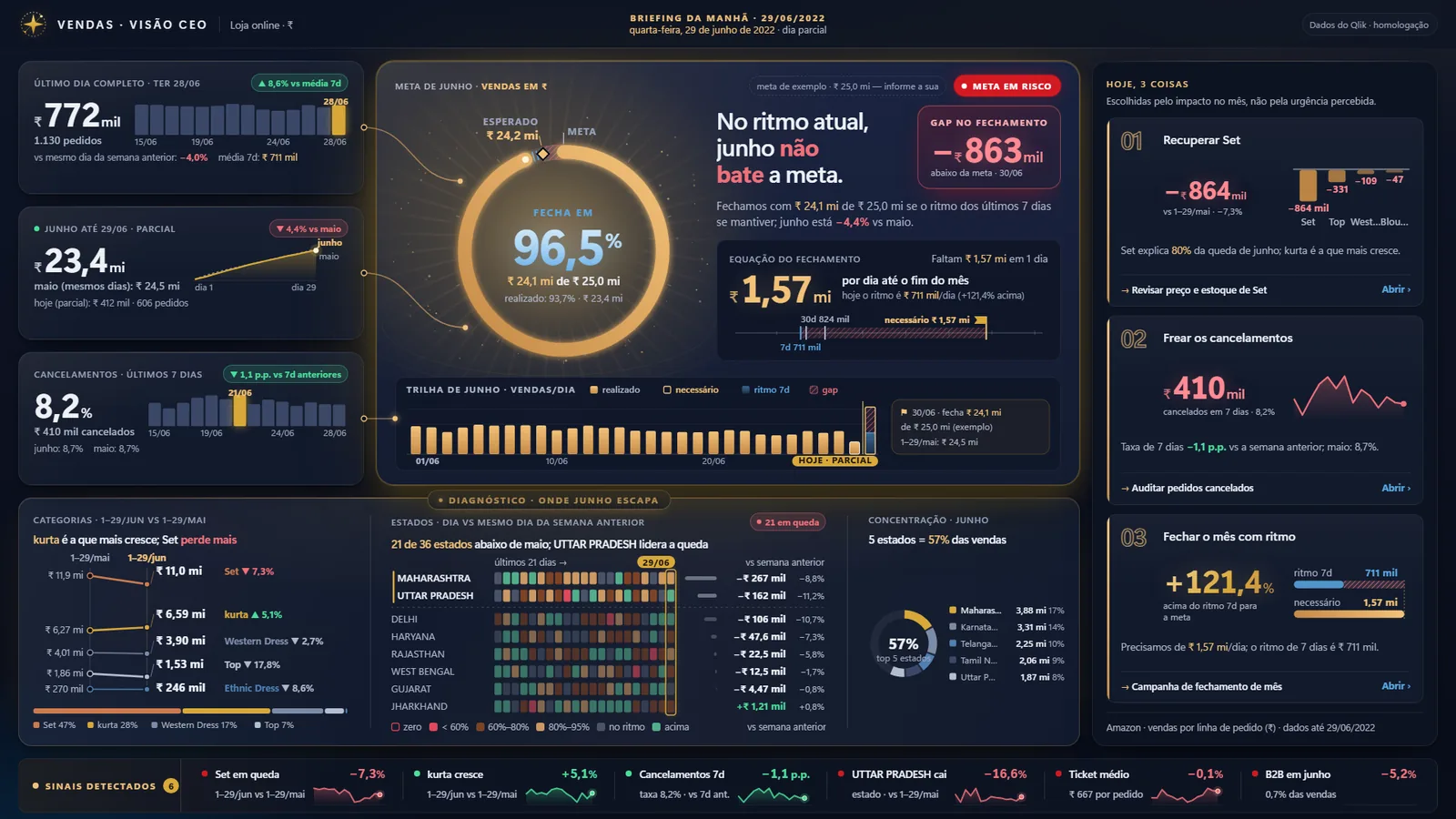
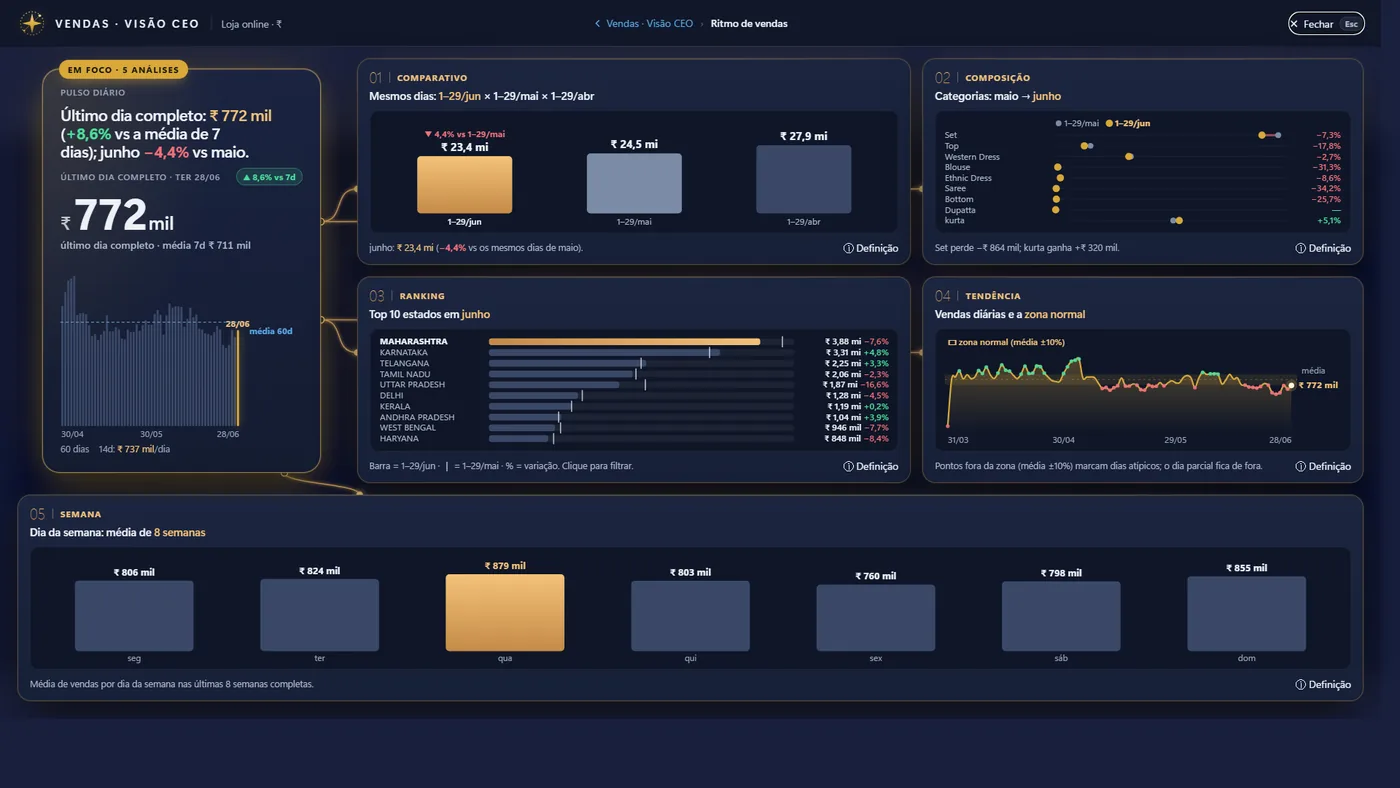
A MYDashAI Magic Panel rendered with live Qlik expressions. Public sample dataset (Amazon India sales, values in rupees); labels in Portuguese — the AI builds in your language.
The modeling is the fun part. The pixel-pushing, the expressions and the endless "one more version" requests are what eat your week.
Every KPI tile, color, border and alignment is another trip to the properties panel. The deadline wins; the design loses.
Set analysis, year-over-year, running totals, share of total… You can write them. Each one still has to be written, tested and double-checked.
"Can I get this in Excel?" "Add one more filter." "Make a version for the board." Your BI team turns into a report help desk.
Without custom HTML/CSS and a lot of polish, native sheets look dated next to the slide decks executives see every day.
Meanwhile, decisions wait — and the value in your Qlik apps stays buried in dashboards nobody had time to polish.
MYDashAI is a Qlik Cloud extension that combines fully customizable HTML/CSS objects, a ready-made chart gallery and an AI assistant that works with your fields, your measures and your selections.
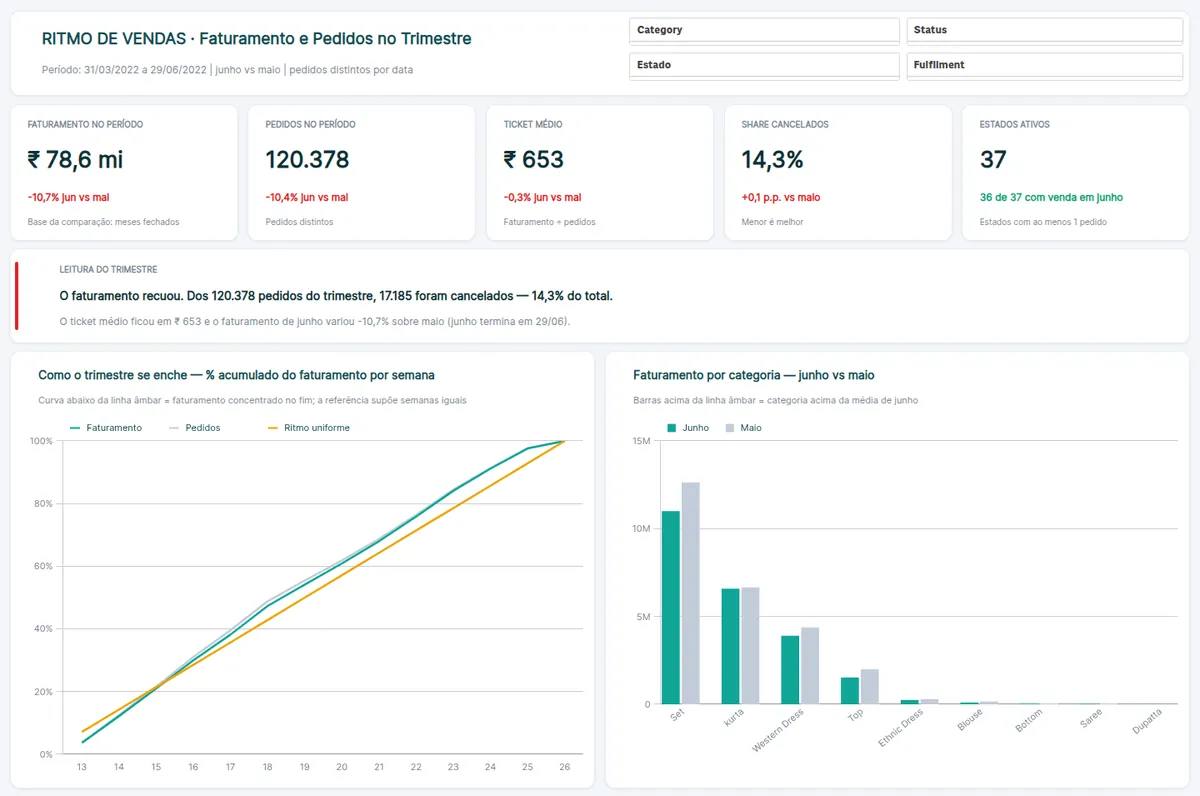
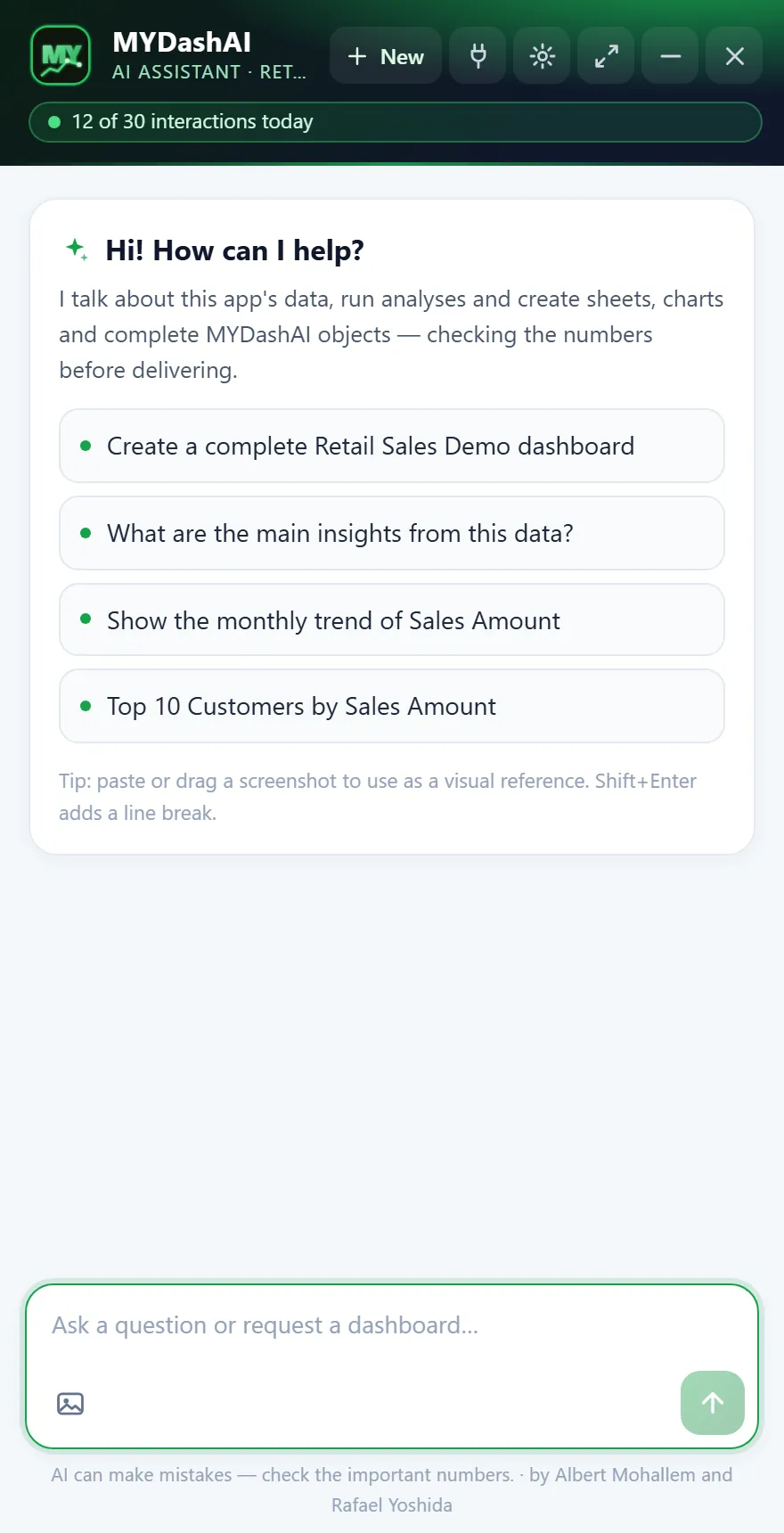
Install once per tenant. After that, just open your app and start asking.
Upload MYDashAI.zip under Extensions and allow the MYDashAI server in your CSP. New versions then arrive through MYDashAI's own Update button.
Drag the MYDashAI object onto a sheet in edit mode and open the AI assistant panel.
Ask for the dashboard you need. Paste a screenshot as a visual reference if you like: "make it look like this."
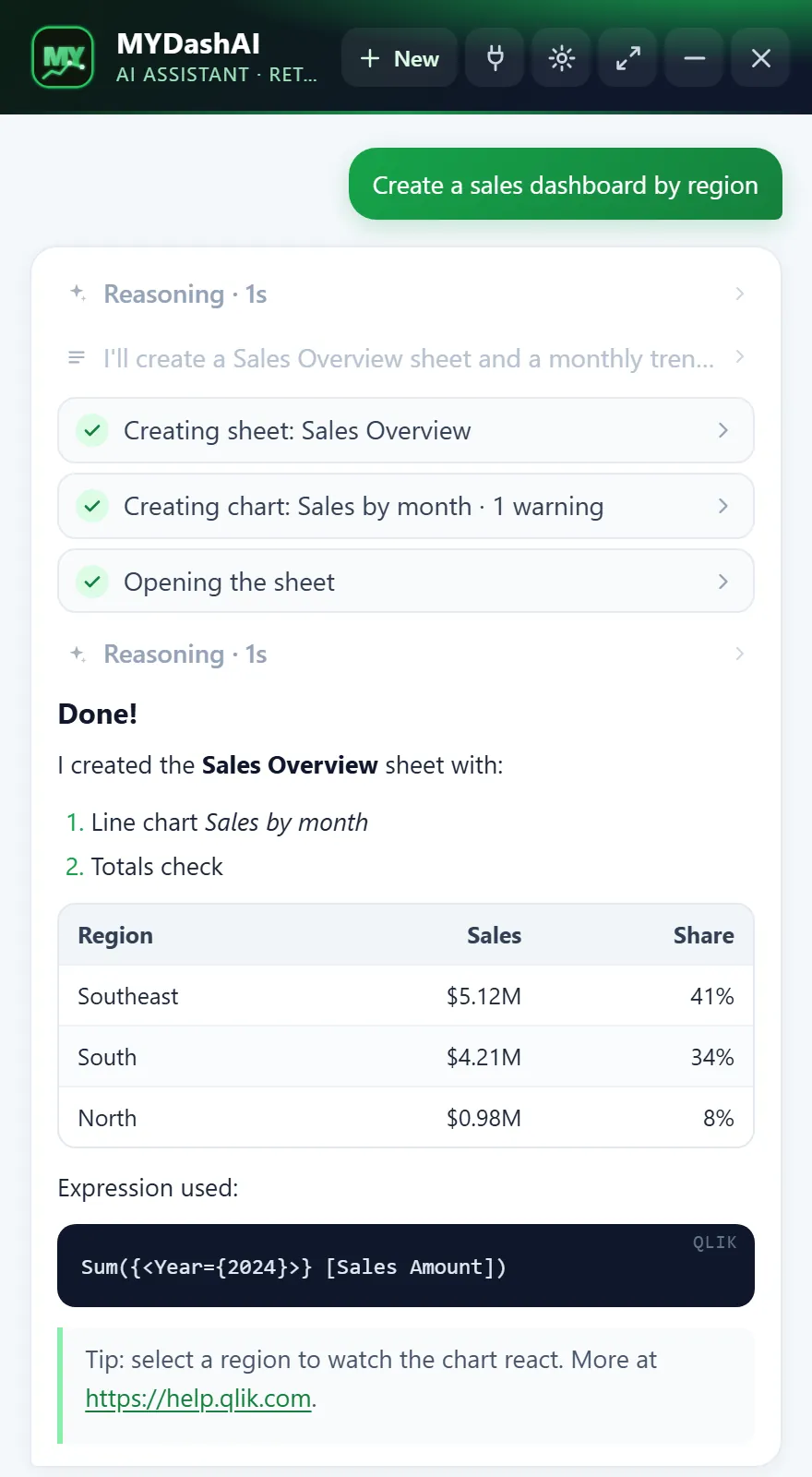
The assistant builds the objects with Qlik expressions. You review, tweak, export to PDF or Excel, and publish.
The assistant lives inside Qlik, right next to your sheet. It analyzes the data, creates and edits objects, and explains what it did — in English, Portuguese or Spanish.
The AI describes the panel; the MYDashAI engine draws it with live Qlik expressions: KPI cards, targets, rankings, charts — even a state-level tile map of Brazil.
With the MCP connector, your Claude, ChatGPT or Cursor can create and edit in the app you have open in Qlik Cloud, using MYDashAI's tools. It's your AI — and MCP usage is unlimited on every plan.
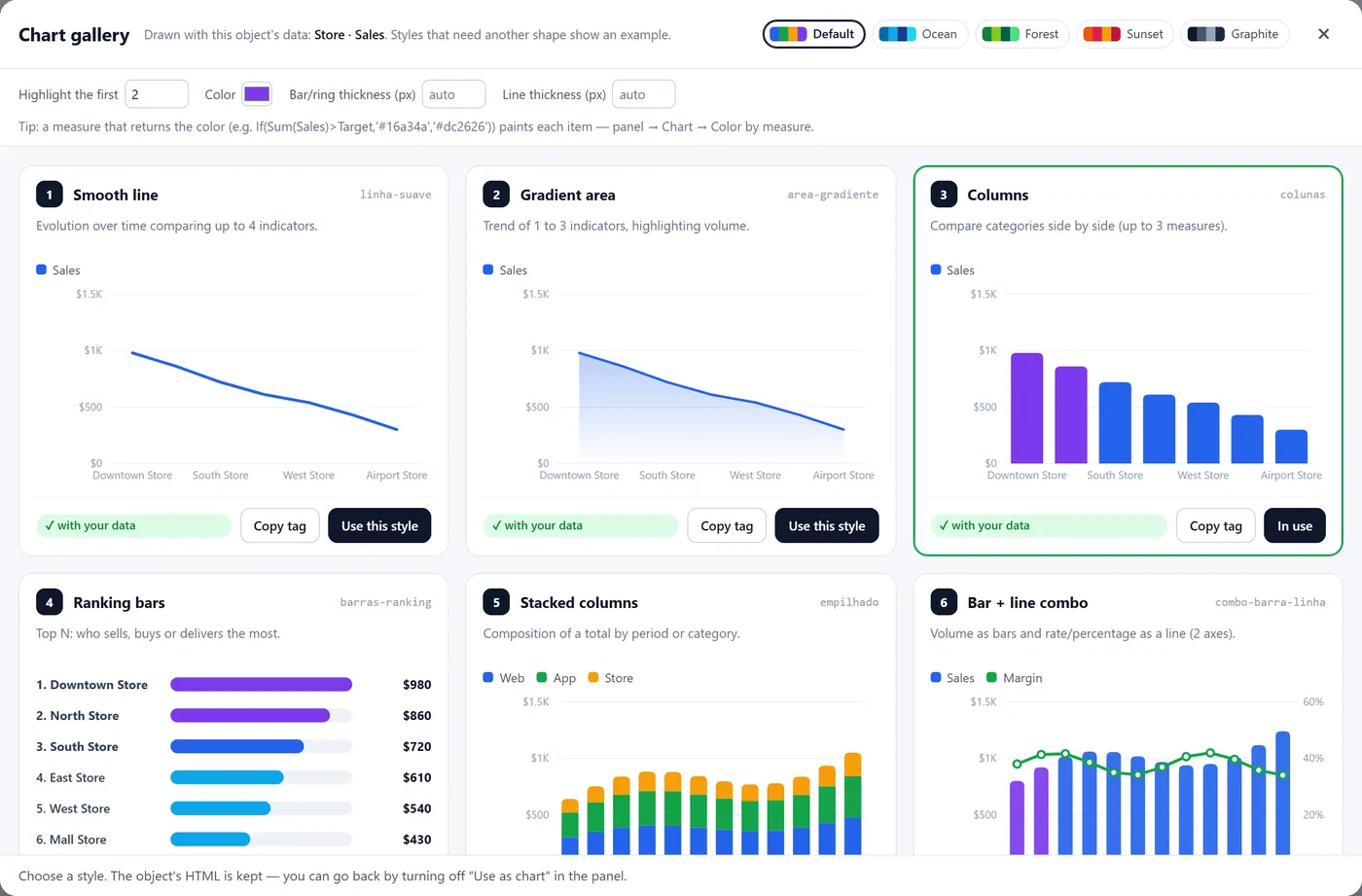
Open the gallery and see every style rendered with the object's own dimensions and measures. Like one? Click "Use this style" and you're done.
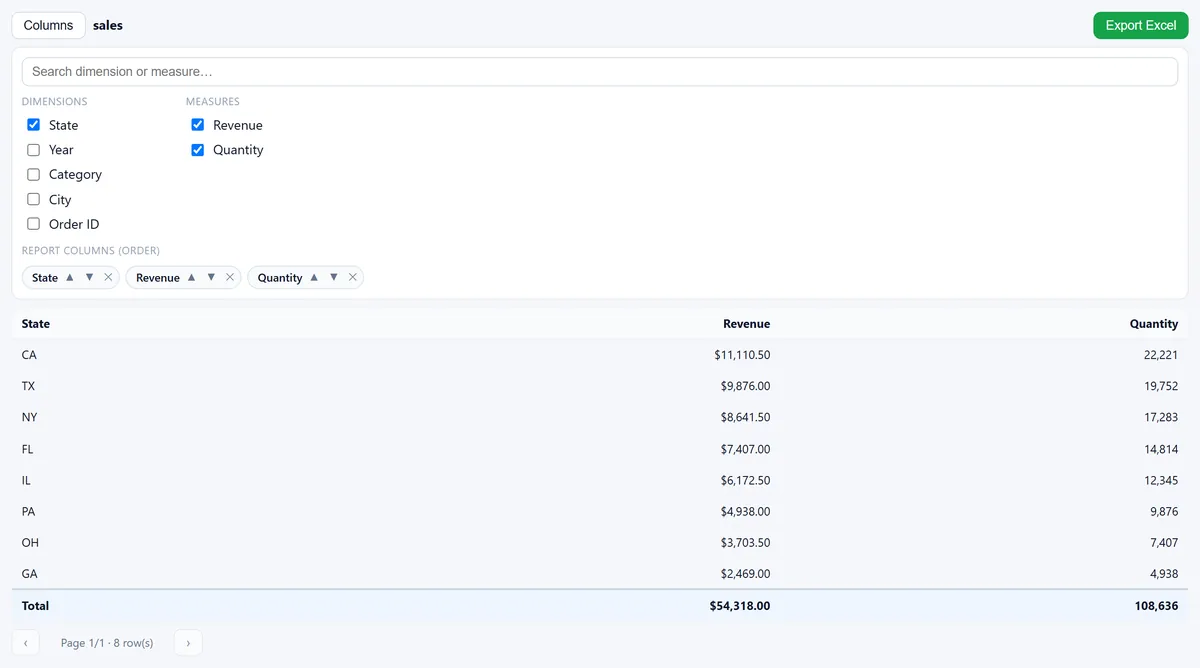
Retire the "just send it to me in Excel" queue. Users build their own report inside the dashboard and export it.
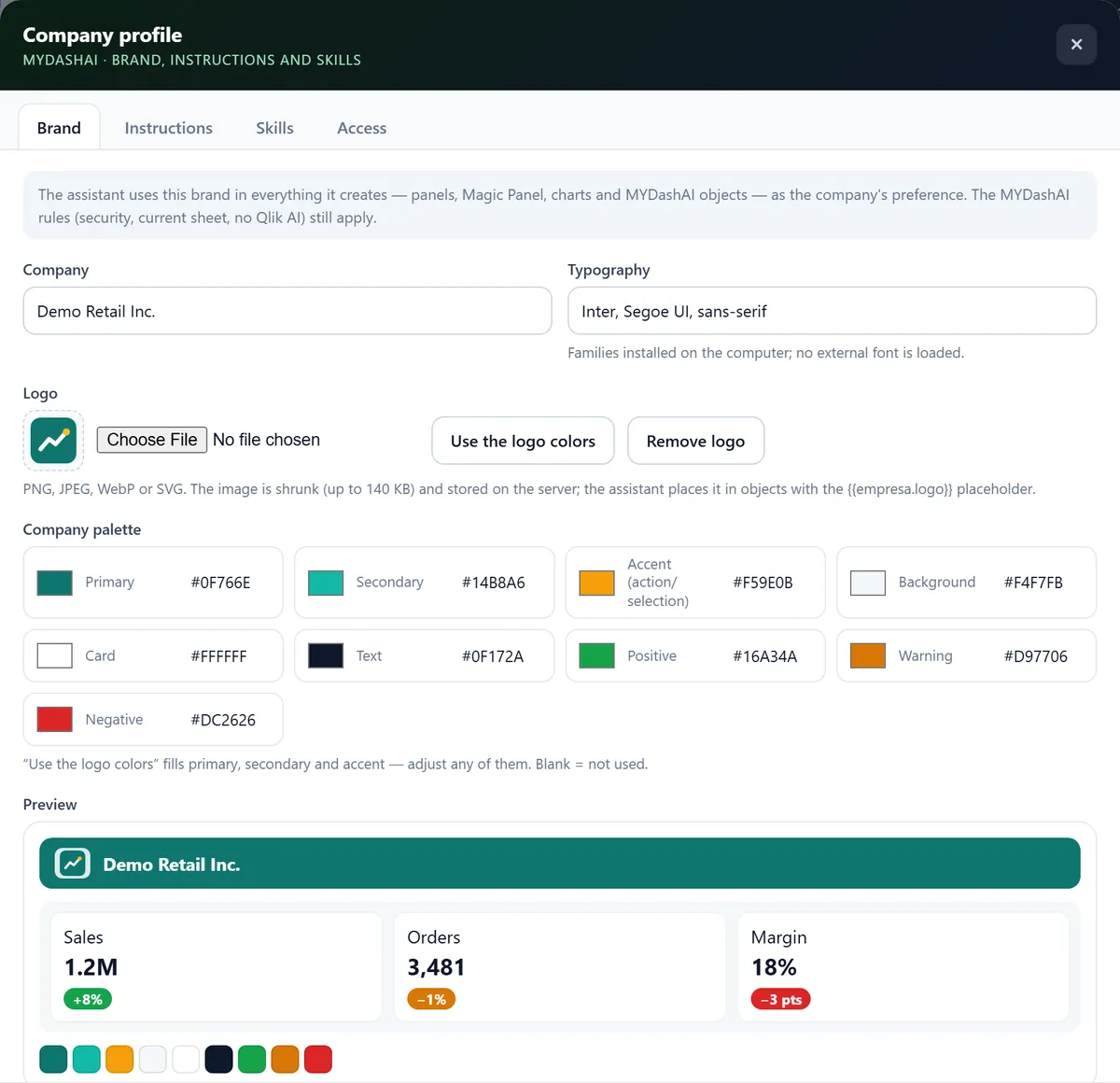
Set up the company profile once and the assistant applies your identity across every app.
Fully customizable objects that use Qlik data and selections.
Selections, bookmarks, variables, sheet navigation and links.
The extension and the assistant follow each user's language.
Licenses are only for people who build or edit. Dashboards work for everyone.
The same person across several tenants uses a single seat.
MYDashAI doesn't copy or store your apps. See how we handle data.
Skip the repetitive part: the AI lays down the structure and the expressions, you focus on the work that needs your experience.
Serve more business units with the same headcount, and give people self-service ad hoc reports with Excel — no ticket required.
Deliver premium-looking projects in each client's brand, faster — and spend your hours on the modeling they actually pay you for.
Executive dashboards with KPIs, period comparisons and a plain-language summary of what changed.
Requirement: Qlik Cloud. A tenant admin installs it once (extension + CSP entry).
Monthly subscription per Qlik user who builds or edits. Get the AI assistant inside Qlik, or just the MCP connector to use your own AI.
1 user
10 users
US$40 per user · save 20%
1 user
10 users
US$24 per user · save 20%
For larger teams we put together a custom quote for the exact number of users you need.
| Feature | MonthlyUS$50/month | Monthly 10US$400/month | Monthly MCPUS$30/month | Monthly MCP 10US$240/month |
|---|---|---|---|---|
| Qlik users (seats) | 1 | 10 | 1 | 10 |
| Price per user | US$50 | US$40 | US$30 | US$24 |
| AI assistant inside Qlik | 30 interactions/day | 30 interactions/day per user | — | — |
| MCP connector (Claude, ChatGPT, Cursor…) | Unlimited | Unlimited | Unlimited | Unlimited |
| HTML/CSS editor, gallery, ad hoc with Excel, PDF | ✓ | ✓ | ✓ | ✓ |
| Dashboards and Magic Panel | Via assistant or your AI | Via assistant or your AI | Via your AI (MCP) | Via your AI (MCP) |
| Company profile (brand, colors, instructions) | ✓ | ✓ | ✓ | ✓ |
| People who only view dashboards | Free | Free | Free | Free |
Use the AI assistant, the MCP connector and the editing features in your own app, with your own data. No credit card, and nothing is charged when the trial ends.
For Qlik Cloud. Sign-up requires e-mail confirmation. One trial per Qlik user e-mail.
Didn't find yours? E-mail suporte@yoshidata.com.br.
Installation guide (Portuguese)MYDashAI is built for Qlik Cloud (Qlik Sense SaaS). Client-managed Qlik Sense Enterprise isn't officially supported yet.
Each seat is one person, identified by their Qlik user e-mail. You need a seat to build or edit: the assistant, editor, gallery, ad hoc in edit mode, panels, the company profile and the MCP connection. The same person across several tenants uses a single seat.
Manage licensed users in the customer portal: mydashai.yoshidata.com.br/conta.
No. Viewers are never blocked — dashboards keep working for every user of the app.
Each new message you send in the assistant chat. The internal steps the AI takes to answer don't count. Plans with the assistant include 30 interactions per day per user (10 during the free trial), resetting at midnight Brasília time (UTC−3). The MCP connector has no daily cap.
The assistant is a chat inside Qlik, with the AI included in your plan — no API key or third-party account needed. The MCP connector lets the AI you already use (Claude, ChatGPT, Cursor and other compatible clients) build and edit in the app you have open in Qlik Cloud; in that case it's your AI. To use MCP, keep the Qlik tab with your app open.
Your data stays in your Qlik tenant: MYDashAI doesn't copy or store your apps, and our server doesn't keep the content of conversations or tool results (technical logs contain no content).
To answer, the assistant sends the AI provider we use only what the question needs: the app's structure, sample field values and aggregated query results, plus any images you attach. With the MCP connector, that information goes to the AI you connected, under that AI's terms.
The assistant doesn't use Qlik Answers or your tenant's Qlik AI capacity.
Yes, once per tenant. A tenant admin uploads the extension under Extensions and adds the origin mydashai.yoshidata.com.br to the Content Security Policy with connect-src and connect-src WSS. Later versions need no new download: MYDashAI itself tells you and updates with the Update extension button. Step-by-step instructions are on the download page (in Portuguese for now — our support team answers in English).
Yes, like any AI. That's why everything it builds is a regular Qlik object with expressions you can see, check and edit — and the assistant can undo its changes. Always double-check key numbers before publishing.
Subscriptions are monthly, priced in US dollars and processed by Hotmart, our payment platform, which shows the final amount at checkout. Cancel anytime; access continues until the end of the paid period.
Not happy? You can request a refund within 7 days of purchase through Hotmart.
Yes. Plan changes (for example from 1 to 10 users, or from "MCP only" to "Assistant + MCP") go through Hotmart, and seats and features are adjusted automatically. Need more than 10 users? Ask us for a custom quote.
English, Portuguese and Spanish — the extension and the assistant follow each user's language.
Install MYDashAI, open the assistant and ask for the dashboard. You review, tweak and ship.